
01
Earn the contract
Walk the rooms with the client and listen to what matters to them. Explain how you will inventory, price, run the sale, and report the result.
EstateSail / Start a business
Start an estate sale business
Estate liquidators combine market knowledge, project management, and client service. You evaluate a house, inventory and price what will sell, run the sale days, take payment, and deliver a clear report. A repeatable system helps you do that work well from the first contract forward.
Families and realtors trust you with a house, its contents, and a deadline. The work runs from the first walkthrough to the final numbers you hand the client.
Walk the rooms with the client and listen to what matters to them. Explain how you will inventory, price, run the sale, and report the result.
Inventory and price what will sell. Print labels that match those prices. Set the rooms so shoppers can move, and so you can tell the client what happened in each part of the house.
Manage the door, scan at the register, take cash or cards with Square or Stripe, and keep one set of numbers. After the sale, review what sold and deliver the report.
Every house is different, but the operating sequence is consistent. A clear process lets clients understand the work and helps your crew repeat what works.
You learn the house, the timeline, and what the family cares about. You leave with a clear scope: what you will sell, how sale days will run, and how they will see the result.
Photos become titles, categories, and a price range. You override the pieces a family will ask about. The price lives in inventory, so the register and the report agree.
Print a barcoded label from your phone with title, price, and room. Shoppers and helpers then see one number, not a price you have to hunt down later.
QR check-in at the door. Scan at the register. Take cash or cards with Square or Stripe. Square also supports Tap to Pay on iPhone. The client report comes from what actually sold.
See the same order in the film: watch the full walkthrough. The written version is on how it works.
Good software does not replace judgment or experience. It gives the operational work a reliable structure so you can explain your process, run sale days, and keep accurate records.
Show how inventory, pricing, sale days, and reporting connect. Families and realtors can evaluate a clear process before they sign.
Set the price in inventory, print the label, and scan it at checkout. Your register and report use the same item record.
Checkout records what sold and how it was paid. You can review the numbers and prepare the client report without reconstructing the sale afterward.
EstateSail gives a solo operator and a growing crew the same connected workflow, sized to the sale and ready to grow with the company.
Photograph an item. AI drafts a title, category, and price range for your review. Use Google Lens and eBay sold listings when you want more pricing context.
Labels you print from your phone carry title, price, and room. At the register you scan. Take cash or cards with Square or Stripe. Square also supports Tap to Pay on iPhone. A solo operator can run one register. Add a second phone when the line needs it.
Checkout records revenue and sold items in a report you can review with the client. Clear records make the close easier to explain. See the full feature set.
Per sale is $99. Pro is $189.99 a month or $1,999 a year. Your first sale is on me when you book a live 1:1: 30 days of Pro, setup, and training, with no credit card. Compare plans on pricing.
Established crews use the same system across a full sale calendar. Read the overview of estate sale software for professional liquidators.
Real EstateSail screens for the sale list, inventory and pricing, labels, checkout, and reporting.
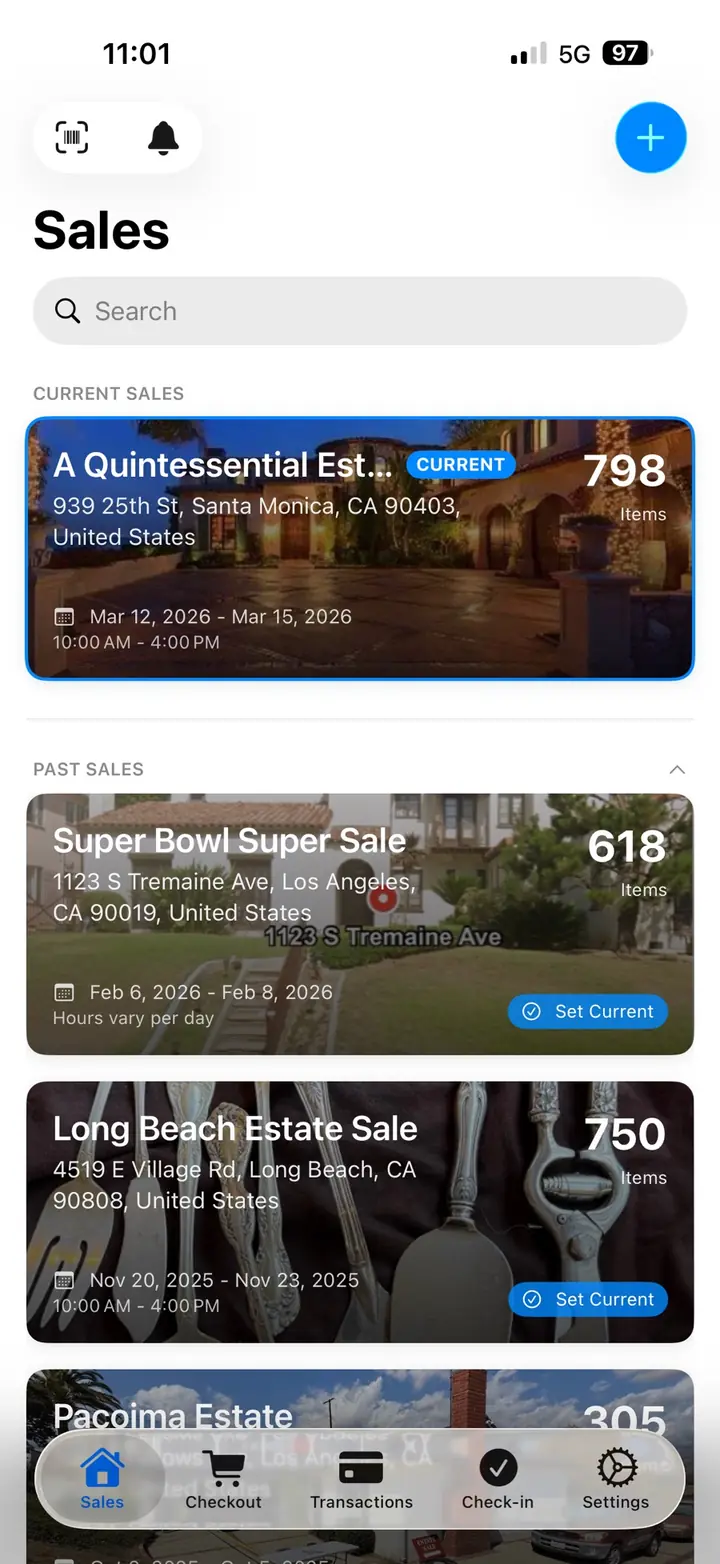
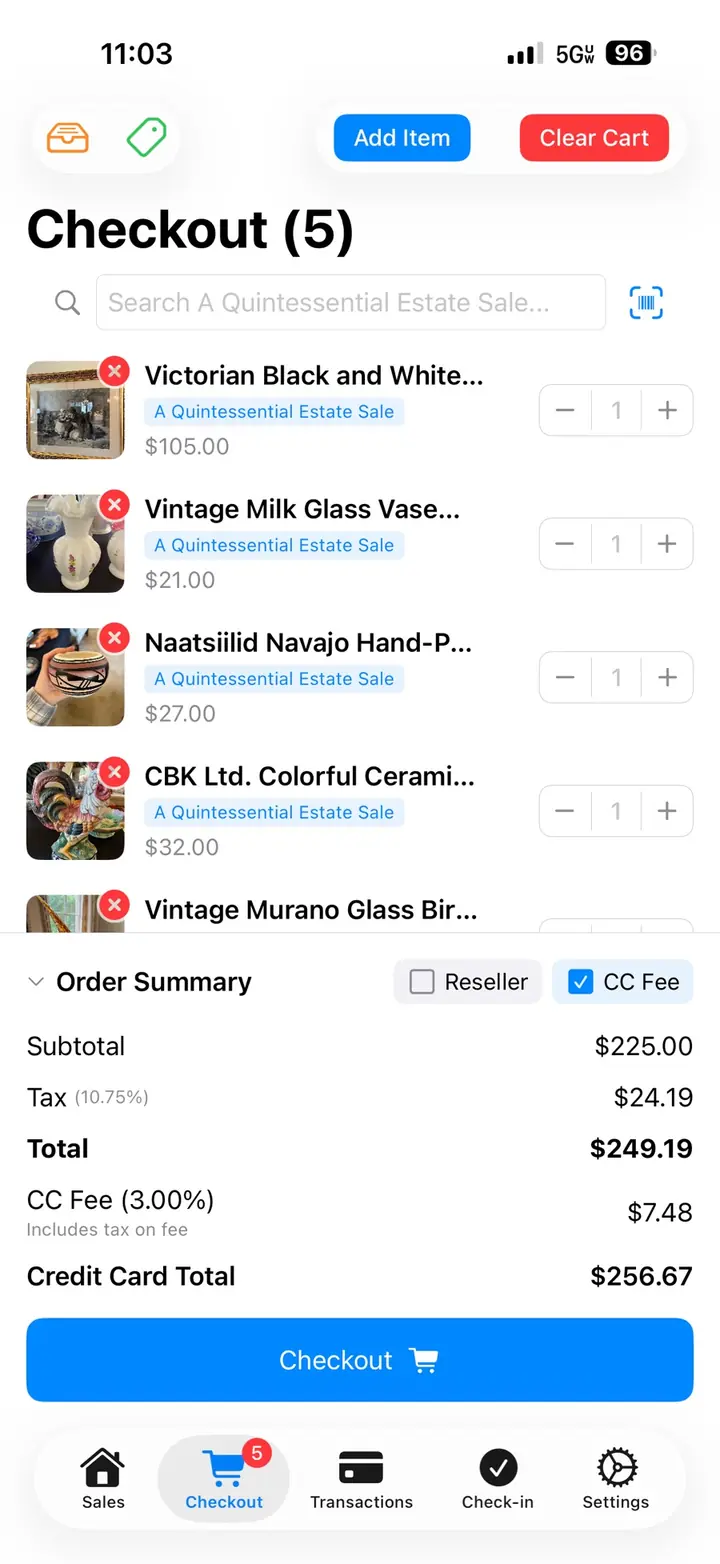
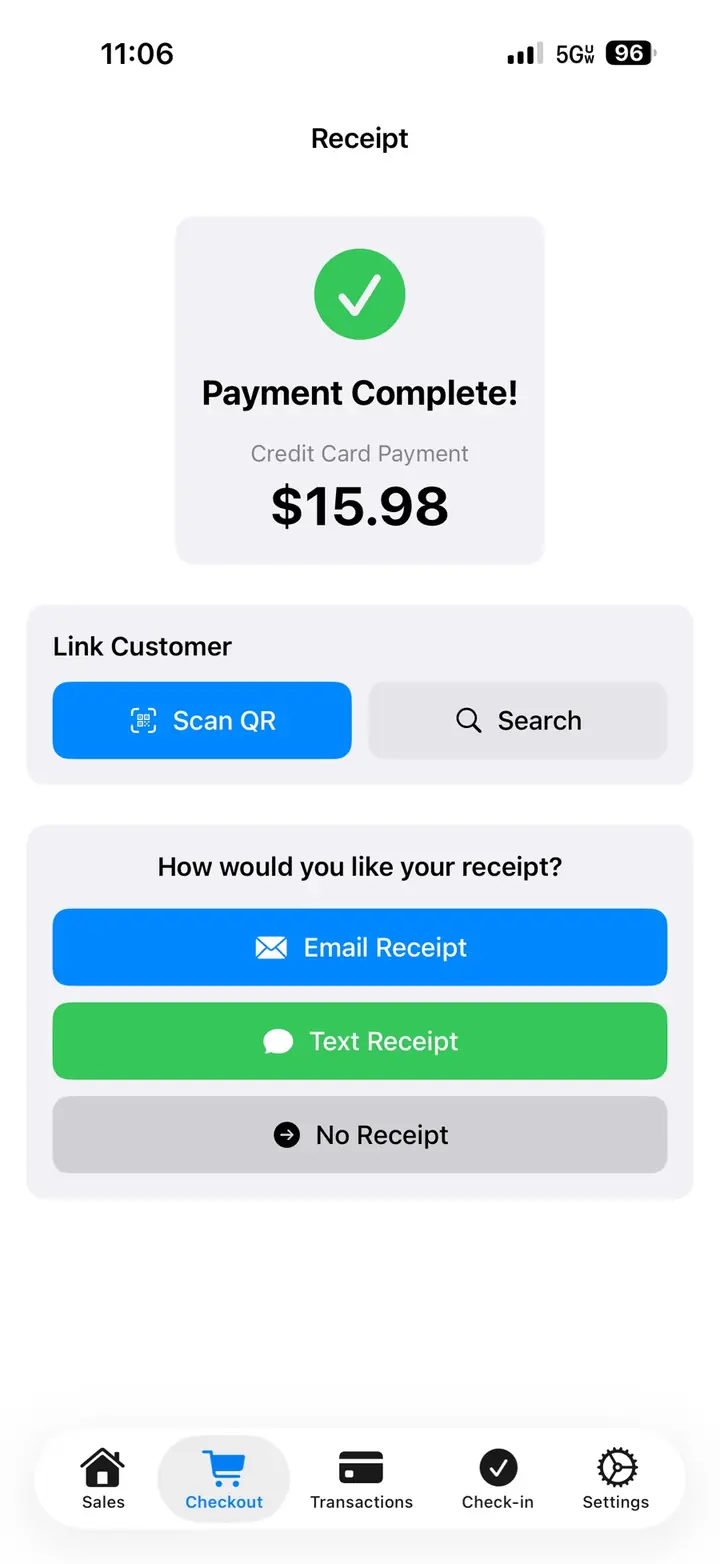
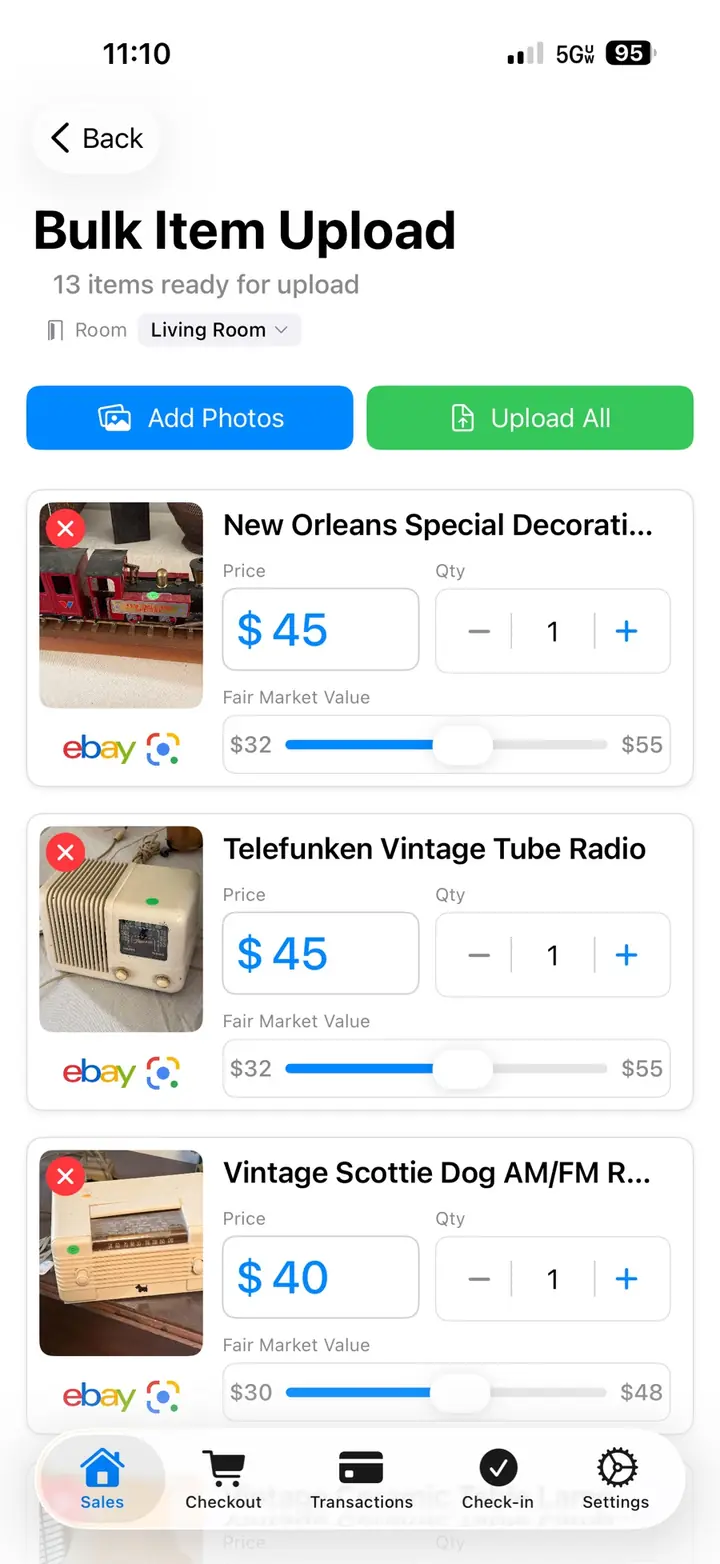
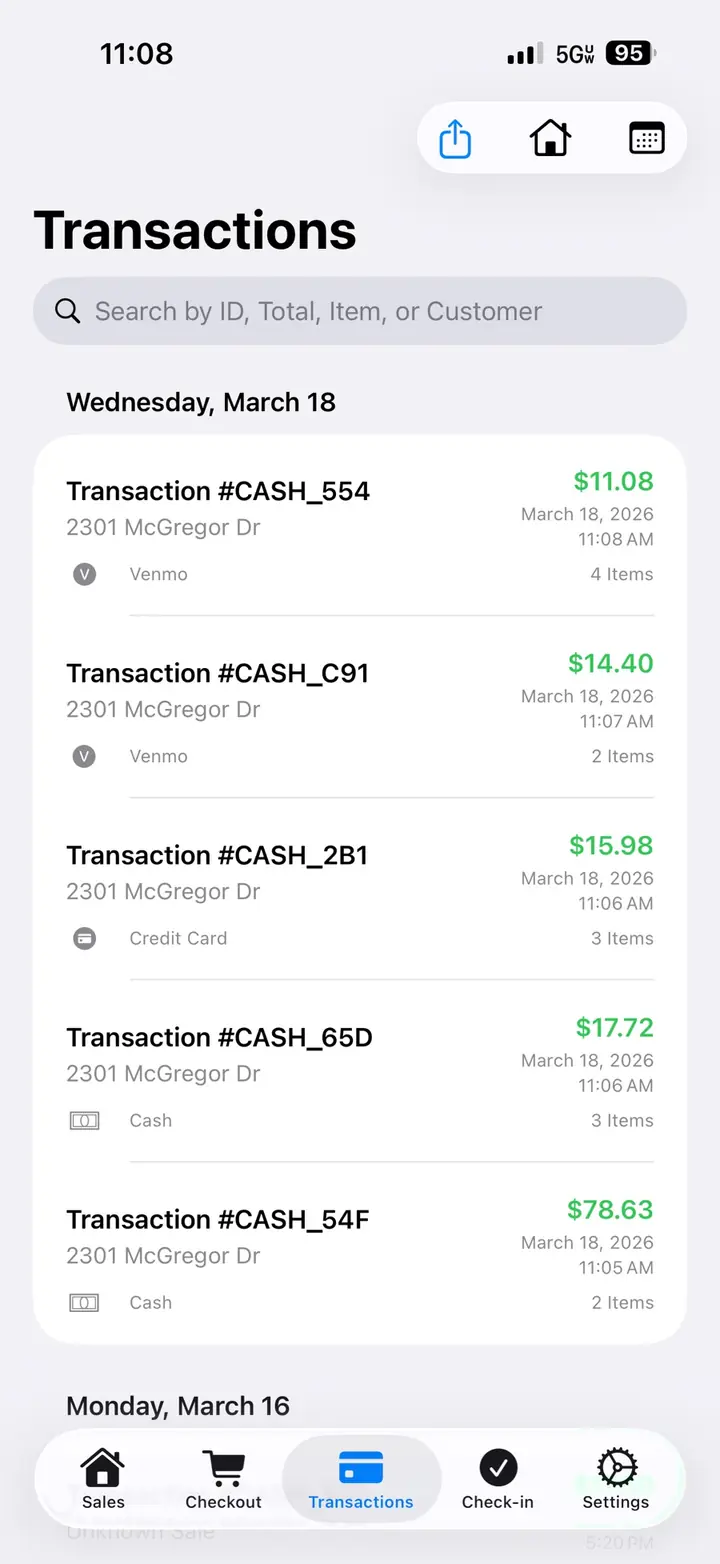
See inventory, pricing, labels, sale day checkout, and the report in one sitting. No meeting required.
Watch the full walkthroughBring questions about your first house. The call is about 25 minutes, plus setup and training. Your first sale is on me.
Book a live demoCreate the sale, add rooms, begin inventory, and train on the same workflow your crew will use on sale days. Connect Square or Stripe when you are ready to take cards. Square also supports Tap to Pay on iPhone.
An estate liquidator sells the contents of a home for a family or an estate. You walk the house, agree on the work, inventory and price what will sell, prepare sale days, take payment, and deliver a report of what sold.
The usual path is a walkthrough, an agreement, inventory and pricing, labels, then one or more sale days with checkout, and a report after. Shoppers come through the house. You track what sold and what the client is owed.
Software is useful before the first sale when it helps you establish a repeatable process. Inventory, pricing, labels, checkout, and reporting stay connected while you focus on the decisions that require your judgment.
EstateSail helps you explain how the sale will run and show the records behind it: inventory, pricing, labels, checkout with Square or Stripe, and a client report.
Per sale is $99. Pro is $189.99 a month or $1,999 a year, with up to 8 people on Pro. Your first sale is on me when you book a live 1:1: 30 days of Pro, account setup, and training, with no credit card. See pricing.
An iPhone or iPad, a way to print labels from your phone, and a way to take cards. Connect Square or Stripe for checkout. Square also supports Tap to Pay on iPhone. A basic scanner helps once you are printing barcodes.
Yes. Solo liquidators use the same inventory, labels, and checkout as a crew. When you add help, each person gets their own login. Pro includes up to 8 people.
Watch inventory, pricing, labels, checkout, online sales, and reporting in one walkthrough. Book a live 1:1 if you want to discuss your operation. Your first sale is on me.