
New on the Web Dashboard: Consigners and Item Editing
These are live now on the EstateSail web dashboard at app.estatesail.us. Keep track of who owns what in a sale, see what each consigner sold and what they're owed, and fix item details right from your computer. Shoppers also got a few new ways to find your sales.
Keep every consigner in one place
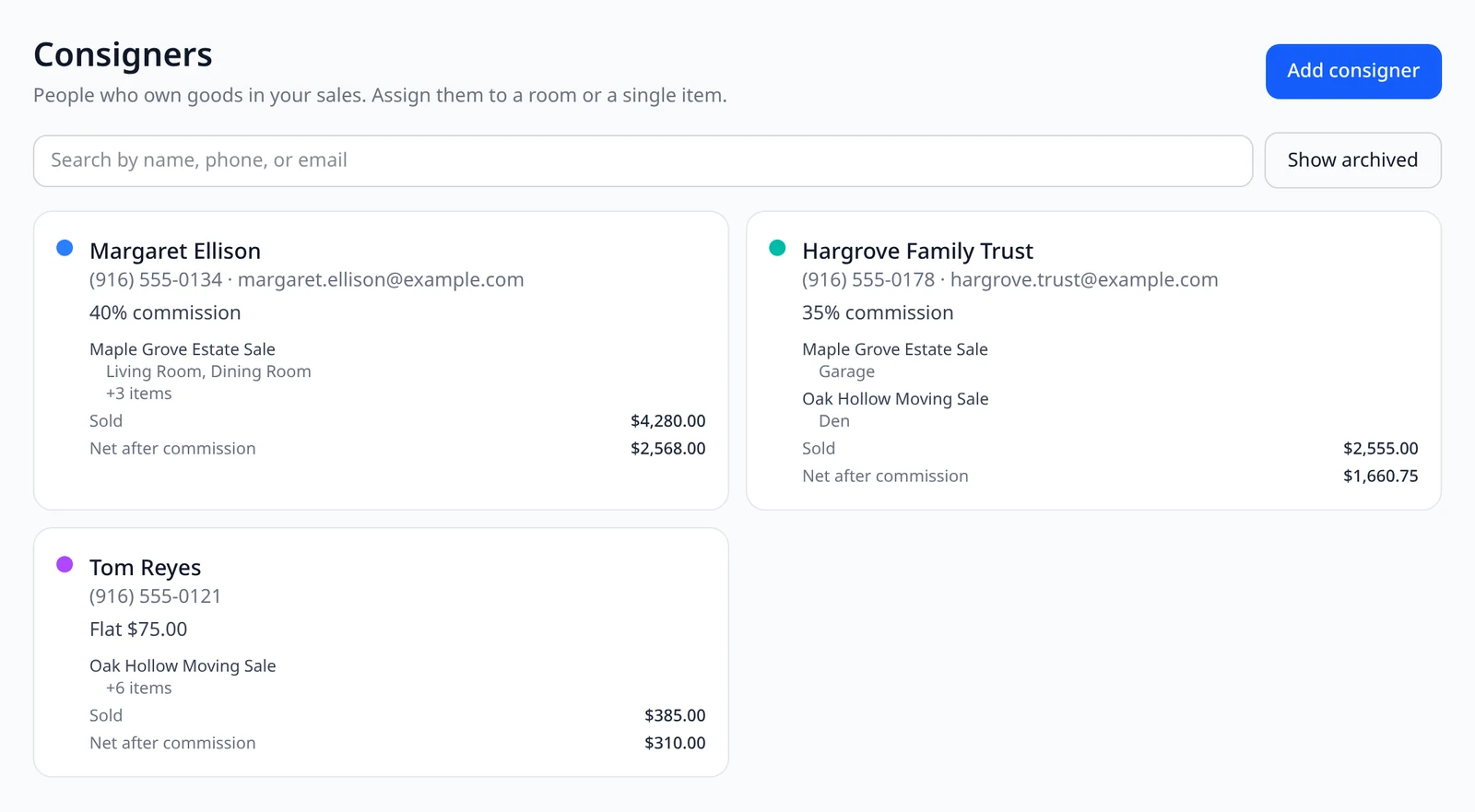
Open Consigners from the menu and choose Add consigner. Save their name, phone, email, and split, either a commission percent or a flat fee. Each card shows the sales and rooms they're on, plus Sold and Net after commission, so you always know where things stand.
- Search and archive. Find anyone by name, phone, or email. Archive someone when you're done, and Show archived brings them back.
- Included with every paid plan. A free demo account doesn't include consigners.
Assign a whole room, or just one item
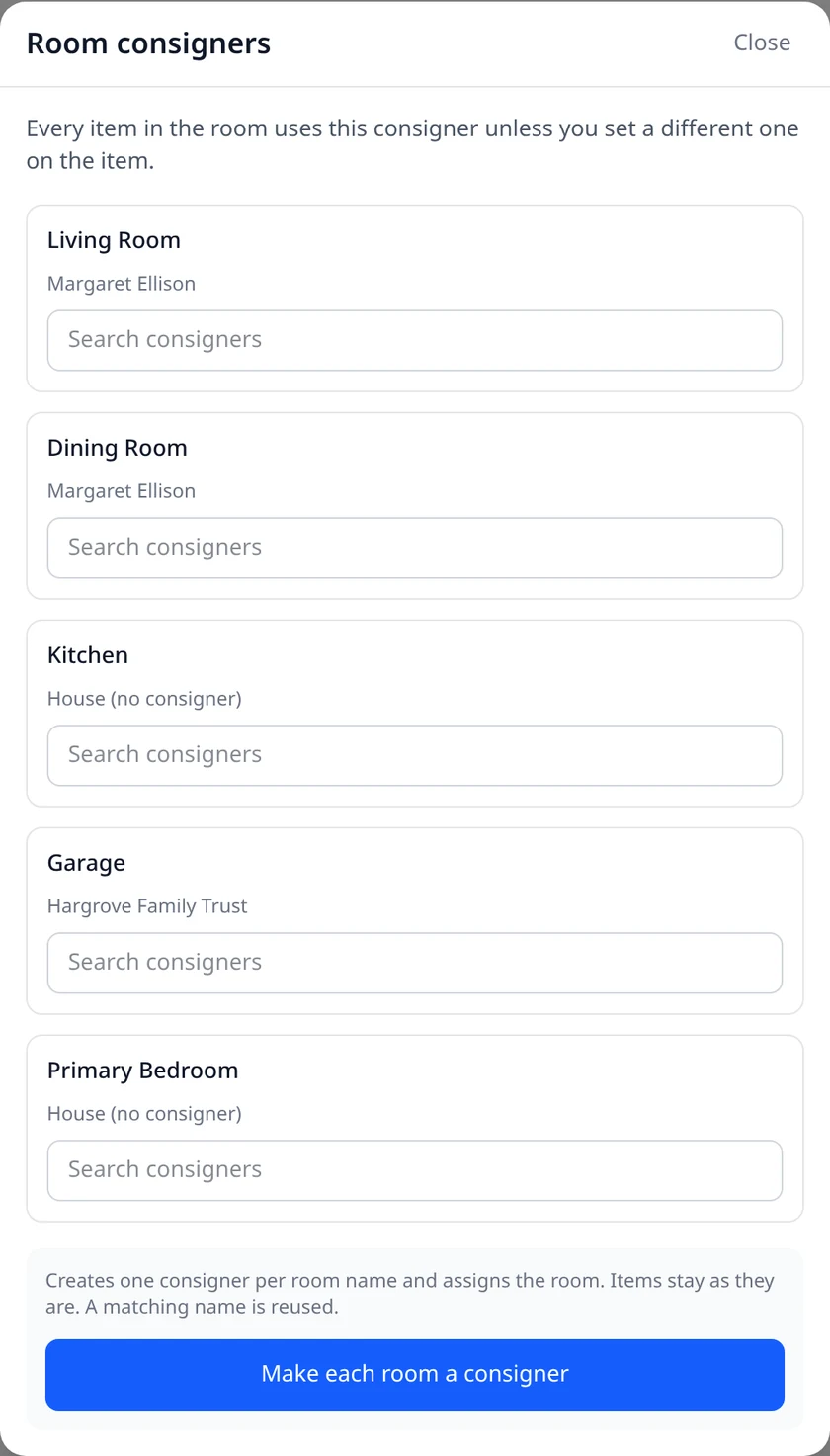
On a sale's Items page, open Room consigners and pick a consigner for each room. Every item in that room goes to them unless you set a different consigner on the item itself.
- One tap setup. If your rooms are already named for the people who own them, Make each room a consigner creates one for each room and assigns it. If a consigner with that name already exists, it reuses them.
- Everything else stays the house's. Rooms with no consigner work the same as always.
See their sales and rooms, and settle up
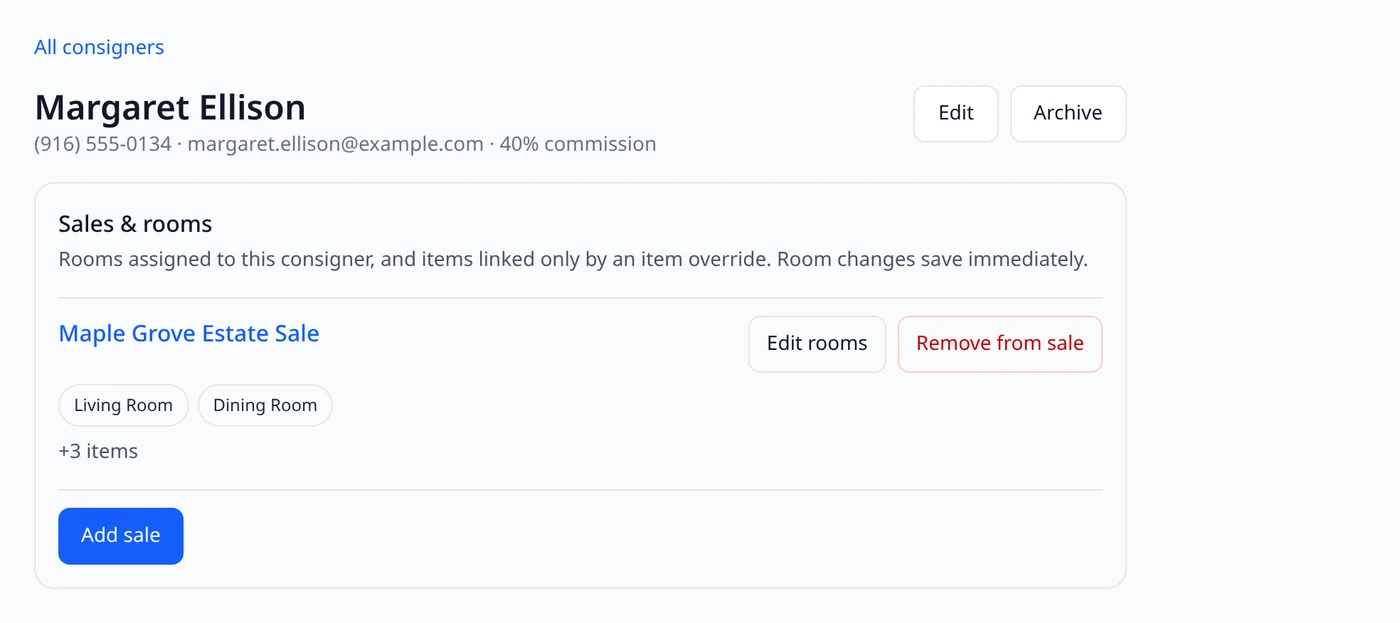
Open a consigner to see every sale they're on and which rooms are theirs. Add sale, Edit rooms, and Remove from sale are right there. When it's time to pay out, Client Settlement and the Sales Report can filter to one consigner, so each person gets a statement for just their things.
- Team access you control. Teammates need Manage Consigners to make changes, and View Transactions to see payout amounts.
Edit item details on the web
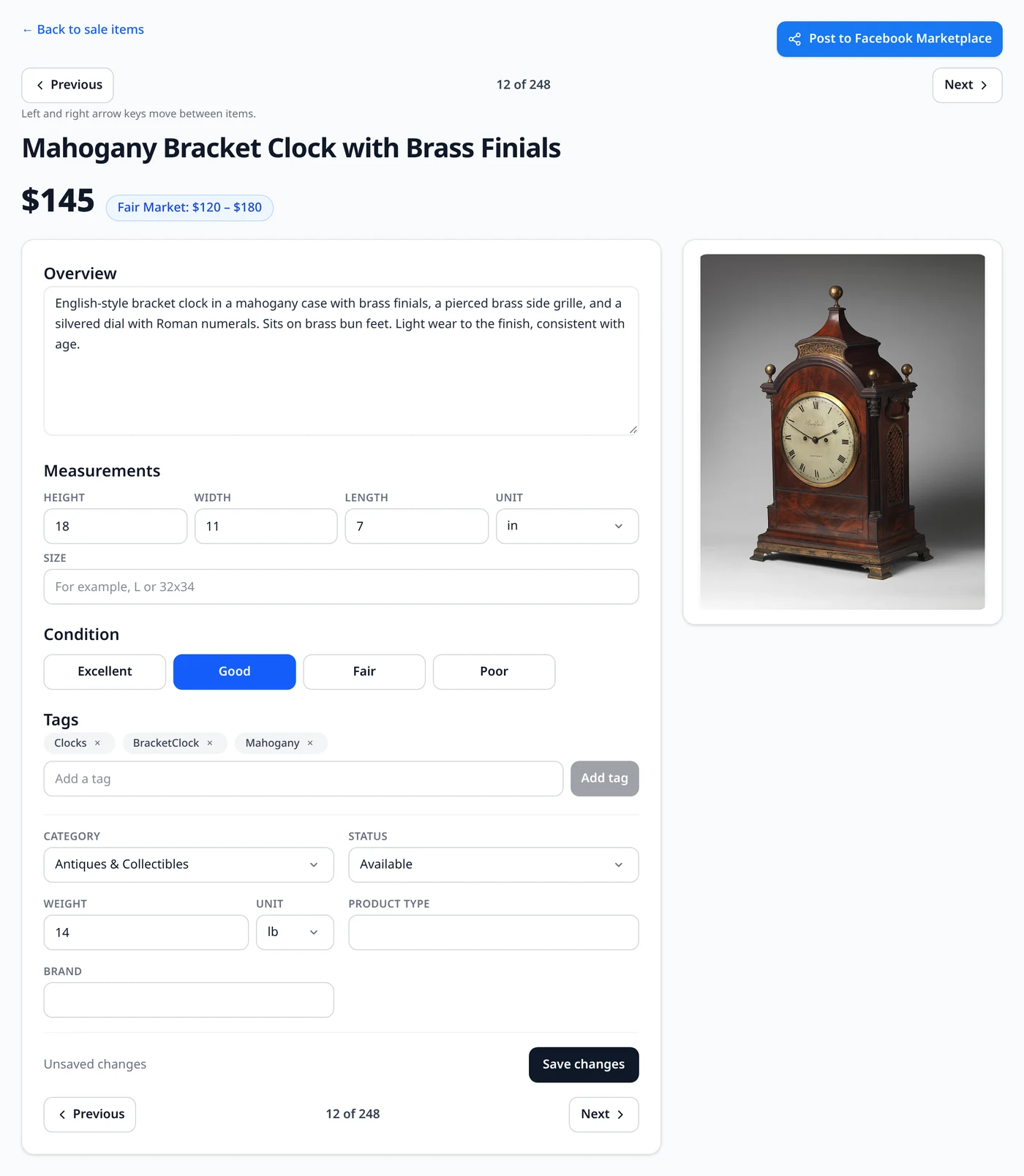
Open any item from a sale and you can now change the title, price, overview, measurements, condition, tags, category, status, weight, and brand, then choose Save changes. Your corrected text is what prints on your tags.
- Next and Previous. Step through your items in the same order as your list, including your sort and filters. On a computer, the left and right arrow keys work too.
- No lost edits. If you move on before saving, you can Save and continue, skip it, or stay put.
- Quick edits from the list. In Edit mode on the Items page, Edit details opens these fields right in the row, and column headers sort the whole sale.
More ways to find your sales
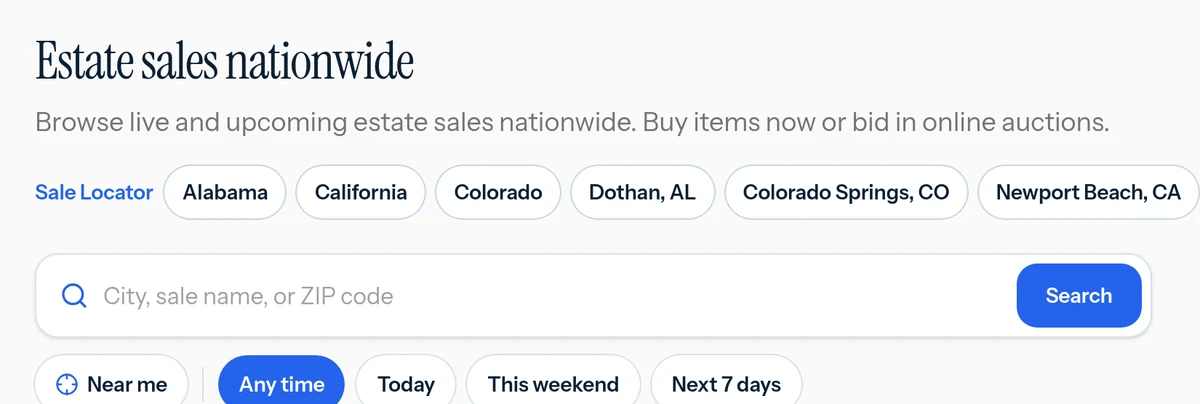
On the EstateSail marketplace, shoppers can search by city, sale name, or ZIP code, choose how far they'll drive, and narrow to Today, This weekend, or Next 7 days. There's also a new Shop by category page where they can browse furniture, jewelry, art, and more from sales that are open right now, and every item links back to your sale.
Try it now
The consigner and item tools are live on the web dashboard now. Sign in at app.estatesail.us from your computer or your phone's browser. New to EstateSail? The full walkthrough shows how it all fits together.