
Estate sale check-in app
A calm line at the door, every sale day.
Shoppers scan your QR code or tap your link, get a queue number, and show their code at the door. Your crew scans them in order. No paper sign-in sheet, no porch arguments, no app for shoppers to download.
- QR or link, only a name required
- First come lines or time slots
- Trusted by liquidators nationwide
The short answer
What is an estate sale check-in app?
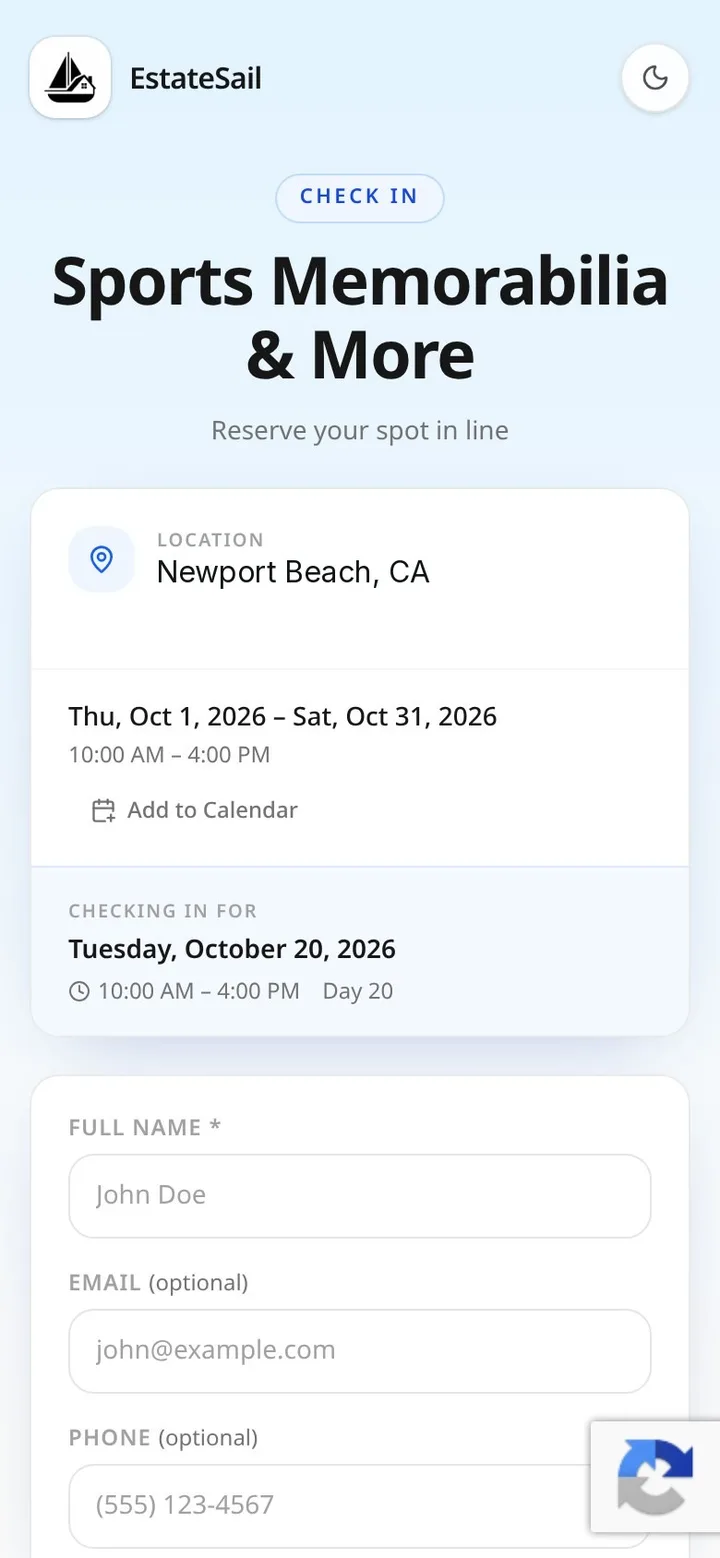
An estate sale check-in app replaces the paper sign-in sheet on the porch. Shoppers scan a QR code or tap a link, enter their name, and get a queue number plus their own QR code. When the doors open, your crew scans each code and lets people in by number, so the line stays fair and the house never gets overcrowded.
EstateSail is estate sale software built for professional liquidators nationwide. Check-in runs on iPhone and at app.estatesail.us, supports first come lines and appointment time slots, and turns every check-in into a buyer list for your next sale.
Try it: run the door
Numbers in, line moving.
Tap Shopper checks in to add sample shoppers to the line, then Scan next to let them in by number. Watch the counts update the way they do on sale day.
How check-in works
From your listing to the front door.
Share your link
One link and QR code for every day of the sale. Post it, text it, print it.
Shoppers check in
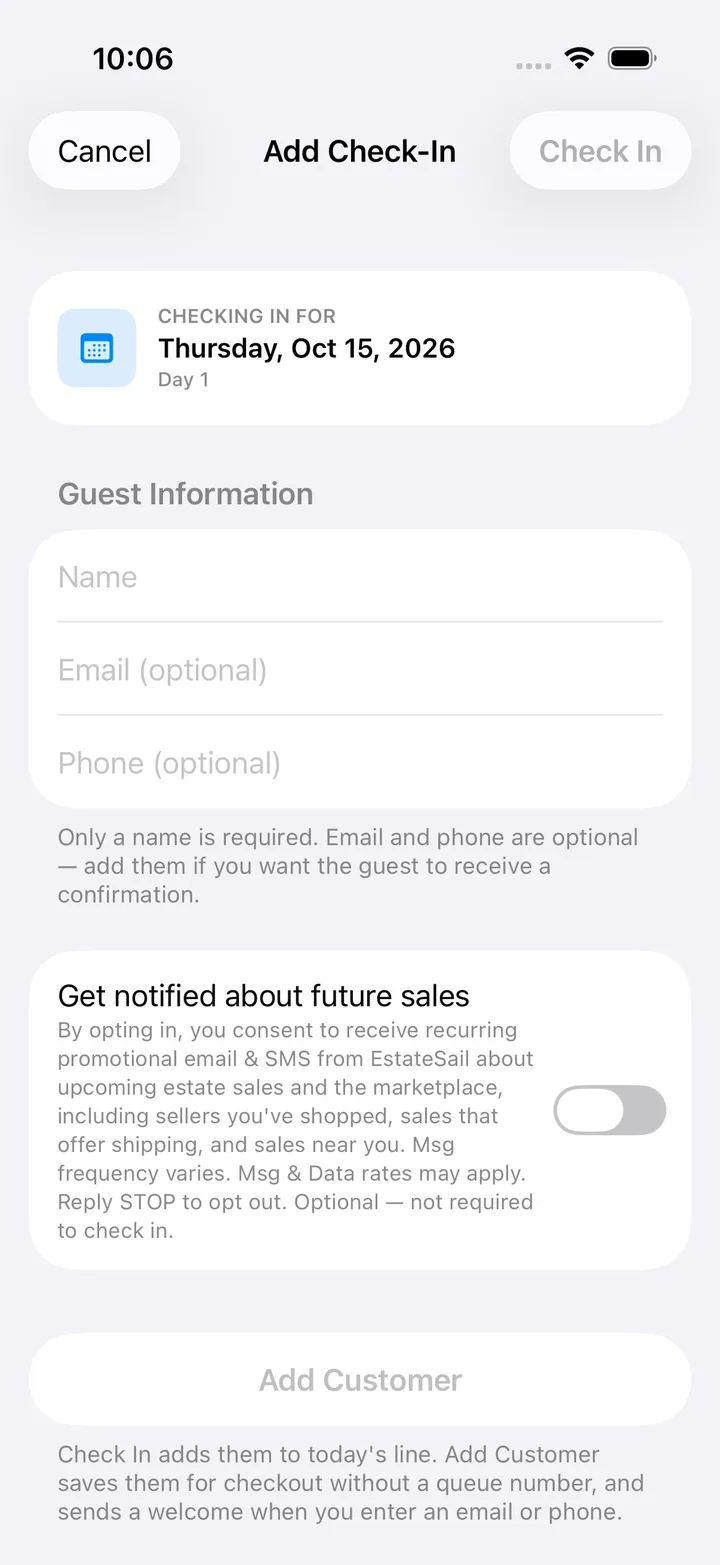
Name only, email and phone optional. They get a number and a QR code.
Scan at the door
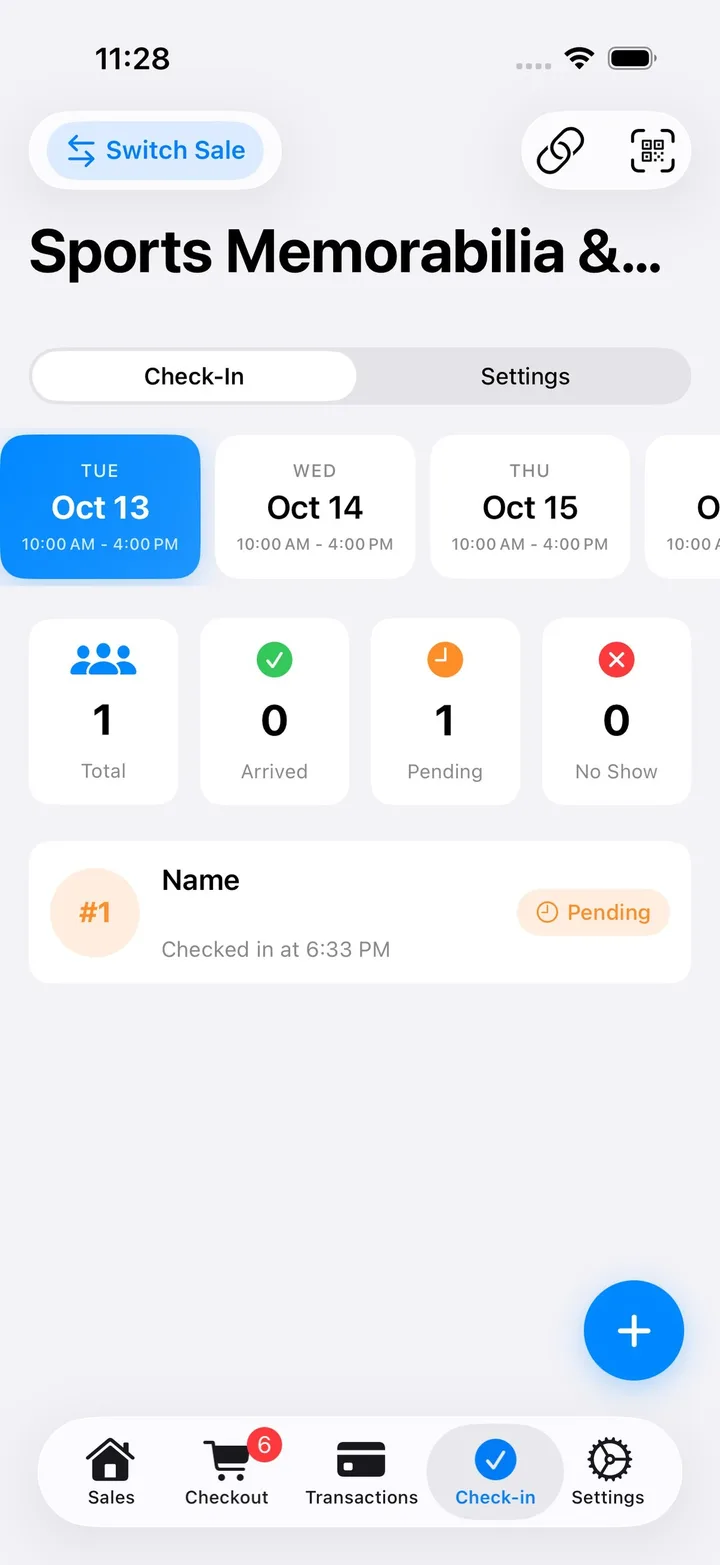
Scan a code and they are Arrived. Up Next shows who is coming.
Grow your list
Repeat visitors match across sales. Export contacts any time.
Run the door
The whole line on your phone.
Open the Check-in tab and pick a sale day. Live counts show Total, Arrived, Pending and No Show, and the whole crew sees the same line on iPhone and the web.
- Scan QR codes with an Up Next card
- Warns you when a number scans out of order
- Add walk-ins with just a name
- Mark no shows so the line keeps moving
Timed entry
Time slots when the house is small or the sale is big.
Turn on appointment scheduling in Settings and cap each slot to what the house can hold. Great for HOAs, gated neighborhoods and opening hour rushes.
Slot length and buffer
Set how long each slot runs and the gap between them.
Max per slot
Slots stop taking bookings when they are full.
Appointment only days
Require a time slot on the busiest day, then open the line.
Reschedule and cancel
Shoppers manage their own booking up to your cutoff.
Plus one
Let shoppers bring a second person on one booking.
Hold the address
Withhold the address, then send it by email or text at release time.
Print and tape
A door poster that checks people in for you.
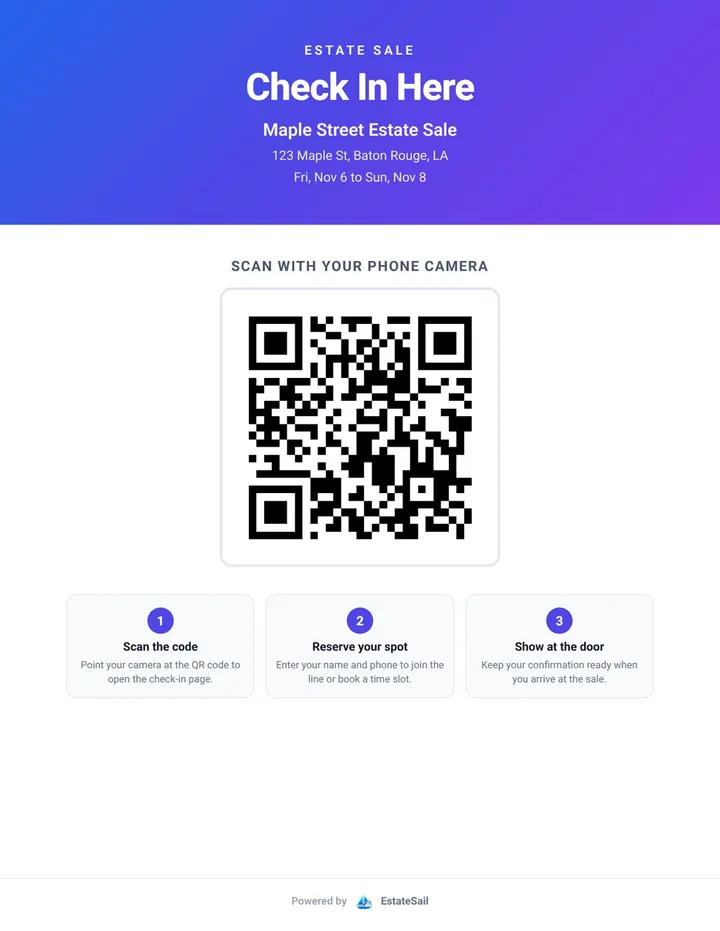
Print a letter size Check In Here poster with your sale name, address, dates and a big QR code. Tape one to the front door and one at the end of the driveway, and early birds check themselves in while you set up.
- Print from the Check-In page on the web
- Save the QR code to Photos or print a QR label
- Add a note for parking or where to enter
With a paper sign-in sheet
- Someone guards the clipboard at dawn
- Arguments over who was first
- Names you cannot read or reach later
- A crowded house at open
With EstateSail check-in
- Shoppers check in from their phone
- Numbers in order, scanned at the door
- A buyer list you can export
- Time slots that cap the crowd
See EstateSail in action
See a house go from photos to a paid sale.
A one-minute explainer, then the full walkthrough from the first photo to the client report.
In 60 seconds
Price, tag, and check out a whole house without the late nights.
A one-minute look at pricing, labels, and checkout. Also on YouTube.
Full walkthrough
Follow one sale from the first photo to the final client report.
Inventory, checkout, and the report, start to finish. Also on YouTube.
Free Starter Kit
Print your first label the day it arrives.
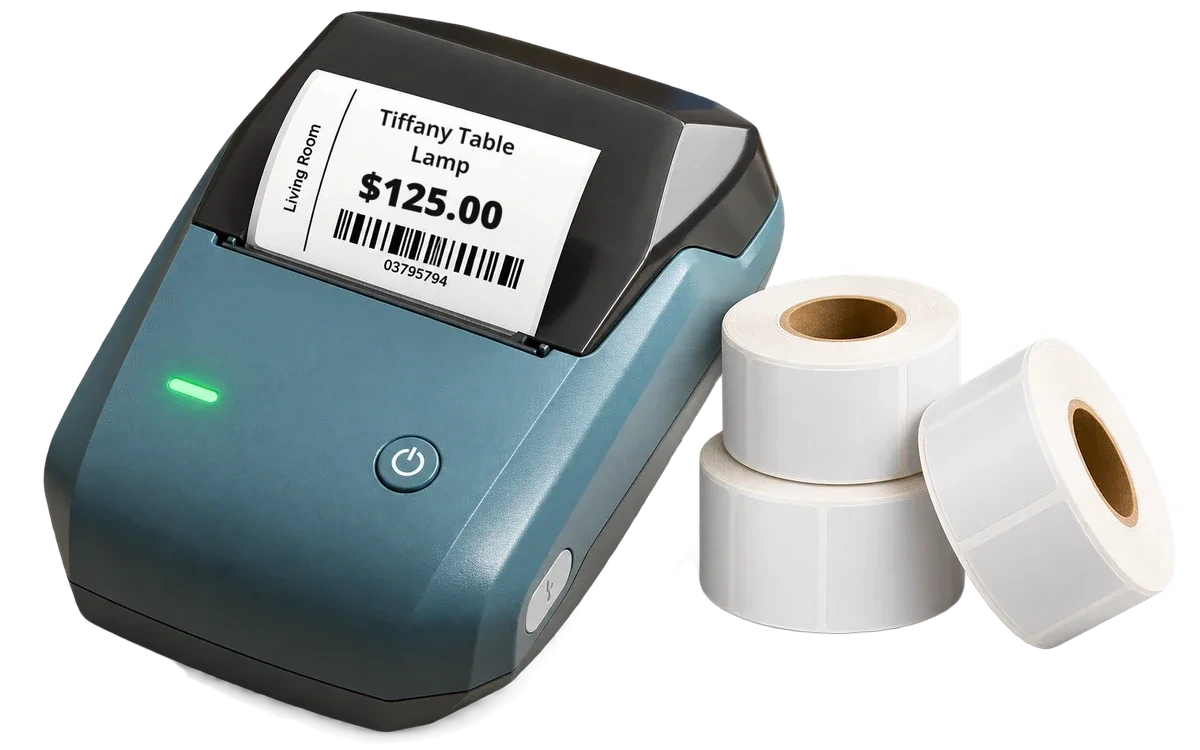
- NIIMBOT B1 wireless label printer, yours to keep
- Three rolls of labels, including jewelry labels
- Your first sale on EstateSail, free
- Full training and support for you and your team
Text, email, or call (318) 724-5877. Printing labels and card checkout need an iPhone or iPad.
Simple pricing
Your first sale is on us.
No per item fees on any plan. Card processing fees come from Square or Stripe. Slide to see which plan fits.
Per Sale Fits you
Unlimited items. A good fit if you run sales now and then.
Pro Monthly Fits you
Unlimited sales, with training and support included.
Pro Annual Fits you
Everything in Pro, and you save over $280 a year.
Every plan includes a company website and buyer email. See full pricing details
FAQ
Questions liquidators ask.
What is the best way to run an estate sale line?
Give every shopper a number before the doors open, then let them in by number. An estate sale check-in app does that for you: shoppers scan a QR code or tap your link, get a queue number and their own QR code, and your door person scans them in order. EstateSail does this on iPhone and the web, so nobody argues over a paper sign-in sheet.
Do shoppers need to download an app to check in?
No. Your check-in link opens a mobile friendly page. Only a full name is required, with email and phone optional. Shoppers get a queue number and a QR code to save or screenshot.
Can shoppers hold their spot before the sale starts?
Yes. Check-ins made before the sale starts are saved as a pre-registration, so early birds hold their place without camping on the porch. Numbers start over at #1 each sale day.
Can I run timed entry or appointment slots?
Yes. Turn on appointment scheduling to set slot length, a buffer between slots, max bookings per slot, blocked times and a plus-one option. You can make any day appointment only, and shoppers can reschedule or cancel up to your cutoff.
What happens at the door?
Tap scan, point the camera at a shopper's QR code, and they are marked Arrived. An Up Next card shows the next number with buttons for Arrived or No Show, and EstateSail warns you if a number scans out of order. Walk-ins are added with just a name.
Does check-in help me build a buyer list?
Yes. Every shopper who checks in with an email or phone is saved, repeat visitors are matched across sales, and you can export your contacts as a spreadsheet for your next sale announcement.
Go deeper
See each part of the sale.
Ready to run your next sale on EstateSail?
Your first sale is free, and a real person will help you set it up. Call or text (318) 724-5877 or email support@estatesail.us.