
Estate sale POS
Scan, pay, carry it out. A POS built for sale day.
QR check in, barcode scan into the cart, Tap to Pay on iPhone with Square or Stripe, plus cash and splits. Multiple registers on the same estate. Every payment lands on the family's settlement.
- Tap to Pay, cash, check and more
- Multiple registers, same sale
- Trusted by liquidators nationwide
Sale day flow
From the front door to a paid cart.
Check shoppers in
QR check in and queue numbers keep the line fair. See check-in
Scan barcode labels
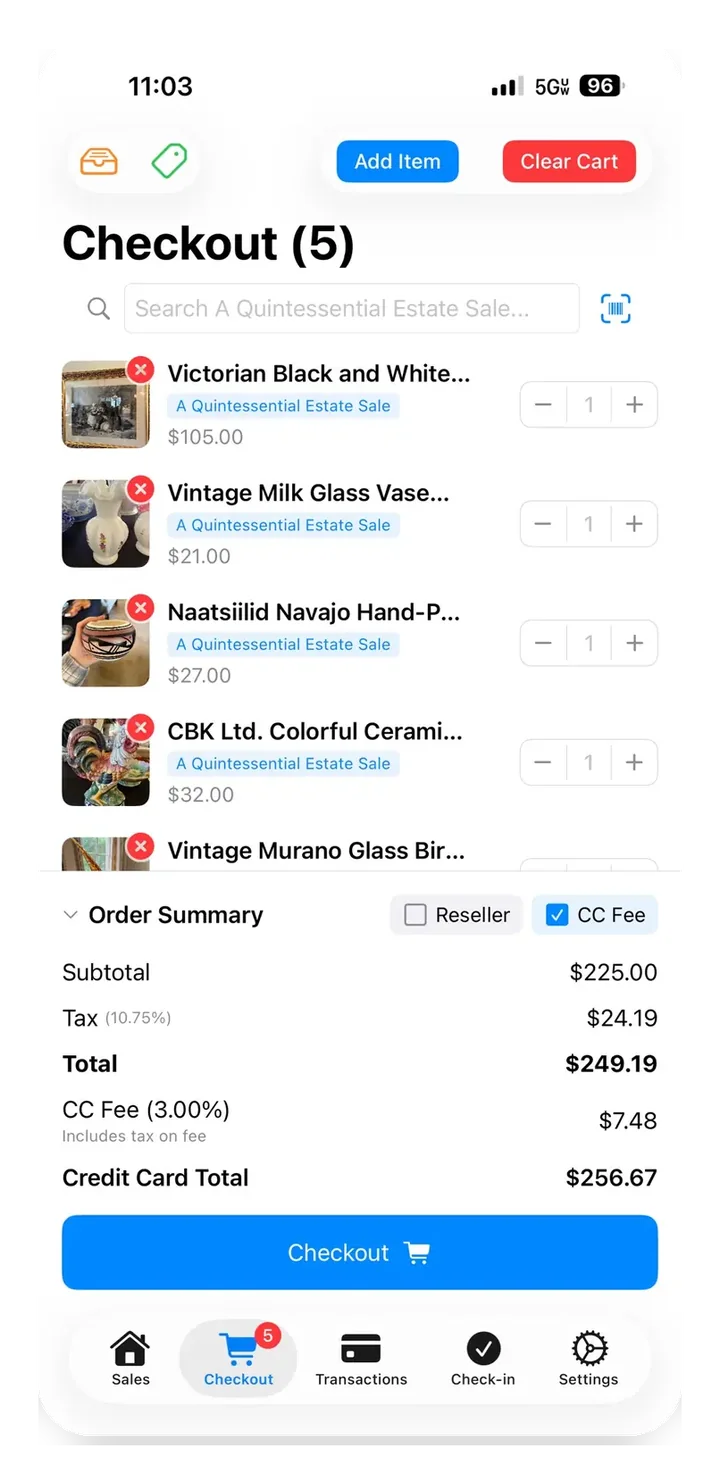
Items hit the cart with title and price. No adding up by hand.
Take any payment
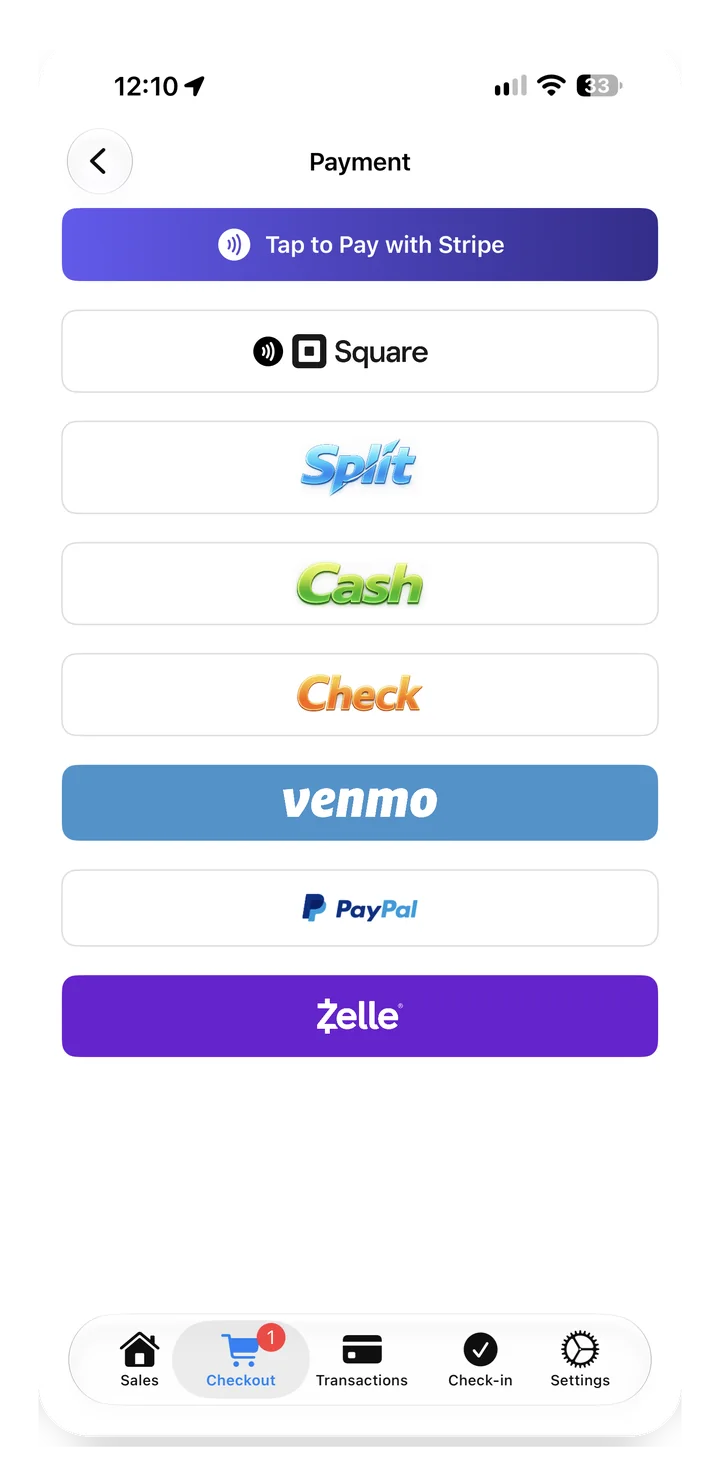
Tap to Pay, cash, check, Venmo, PayPal, Zelle or a split.
Recorded for the family
Every payment feeds the client settlement automatically.
Scan into the cart
Barcode in, total up, ready to pay.
- Scan barcode labels into the cart
- Search by title when a tag is missing
- Tax, reseller and card fee options
- Then open payment for Tap to Pay or cash
Try it: sale day checkout
Scan, total, paid. Try the till.
Tap Scan a label to ring up sample items, pick how the shopper pays, then take payment. This is how the line moves on sale day.
Cart is empty. Tap Scan a label to add the first item.
Built for crews
More than one till, one sale.
Multiple registers
Open more tills on the same sale when the line gets long.
Team permissions
Helpers can see the till only. Owners see everything.
Square or Stripe
Use the processor you already trust, including Tap to Pay.
Receipts
Printed or emailed. A clean trail for the shopper and for you.
Without an estate sale POS
- Long lines while someone adds prices
- Cash box math at closing
- Missed payments that never hit the report
- One person stuck at the table
With EstateSail
- Scan and Tap to Pay in seconds
- Every method tracked automatically
- Settlement built from the till
- Extra registers when you need them
See EstateSail in action
See a house go from photos to a paid sale.
A one-minute explainer, then the full walkthrough from the first photo to the client report.
In 60 seconds
Price, tag, and check out a whole house without the late nights.
A one-minute look at pricing, labels, and checkout. Also on YouTube.
Full walkthrough
Follow one sale from the first photo to the final client report.
Inventory, checkout, and the report, start to finish. Also on YouTube.
Free Starter Kit
Print your first label the day it arrives.
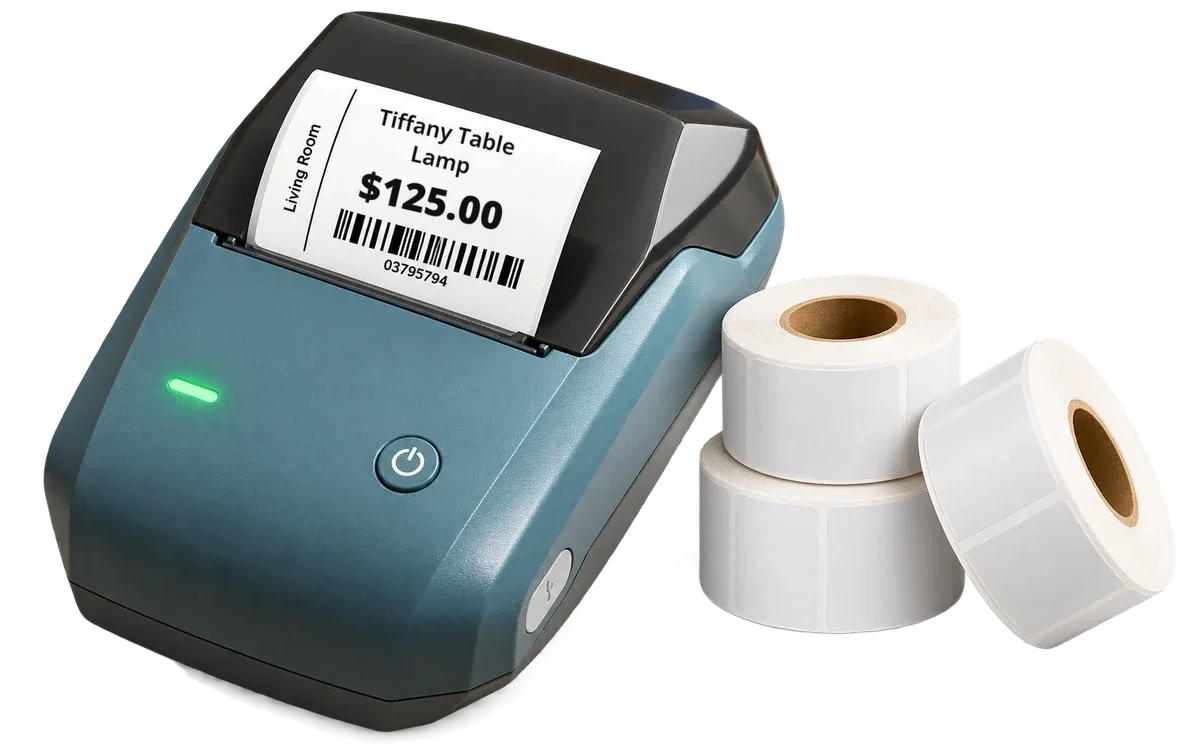
- NIIMBOT B1 wireless label printer, yours to keep
- Three rolls of labels, including jewelry labels
- Your first sale on EstateSail, free
- Full training and support for you and your team
Text, email, or call (318) 724-5877. Printing labels and card checkout need an iPhone or iPad.
Simple pricing
Your first sale is free.
No per item fees on any plan. Card processing fees come from Square or Stripe. Slide to see which plan fits.
Per Sale Fits you
Unlimited items. A good fit if you run sales now and then.
Pro Monthly Fits you
Unlimited sales, with training and support included.
Pro Annual Fits you
Everything in Pro, and you save over $280 a year.
Every plan includes a company website and buyer email. See full pricing details
FAQ
Questions liquidators ask.
What is the best POS for estate sales?
A POS for estate sales should scan barcode labels, take Tap to Pay and cash, support multiple registers, record every payment for the client settlement, and work on the phone you already carry. EstateSail is built as that sale day till.
Does EstateSail support Tap to Pay on iPhone?
Yes. In person card payments run through Square or Stripe with Tap to Pay on iPhone. Square POS terminals work too. You can also record cash, check, Venmo, PayPal, Zelle and split payments.
Can several people run checkout on the same estate sale?
Yes. Multiple registers can run on the same sale. Team permissions let helpers see the till only when that is what you want.
Does the estate sale POS feed the client settlement?
Yes. Every payment is recorded automatically, so the settlement report is built from the till instead of a spreadsheet at midnight.
Does EstateSail include customer check in?
Yes. Shoppers check in with a QR code or link, get a queue number, and are scanned in at the door. Time slots, walk-ins and a buyer list are built in, which keeps the line moving on busy sale days.
Go deeper
See each part of the sale.
Ready to run your next sale on EstateSail?
Your first sale is free, and a real person will help you set it up. Call or text (318) 724-5877 or email support@estatesail.us.