
A hybrid estate sale online means selling from the same inventory and pricing on the floor during sale days and online through a storefront, so remote shoppers can buy too. The three rules that make it work: build inventory and pricing once, stop online buying during floor hours so one item is not sold twice, and give online buyers clear pickup windows instead of shipping promises.
EstateSail is our product, and this guide explains how our customers run hybrid sales in it. The same steps apply to any setup.

What a hybrid estate sale is
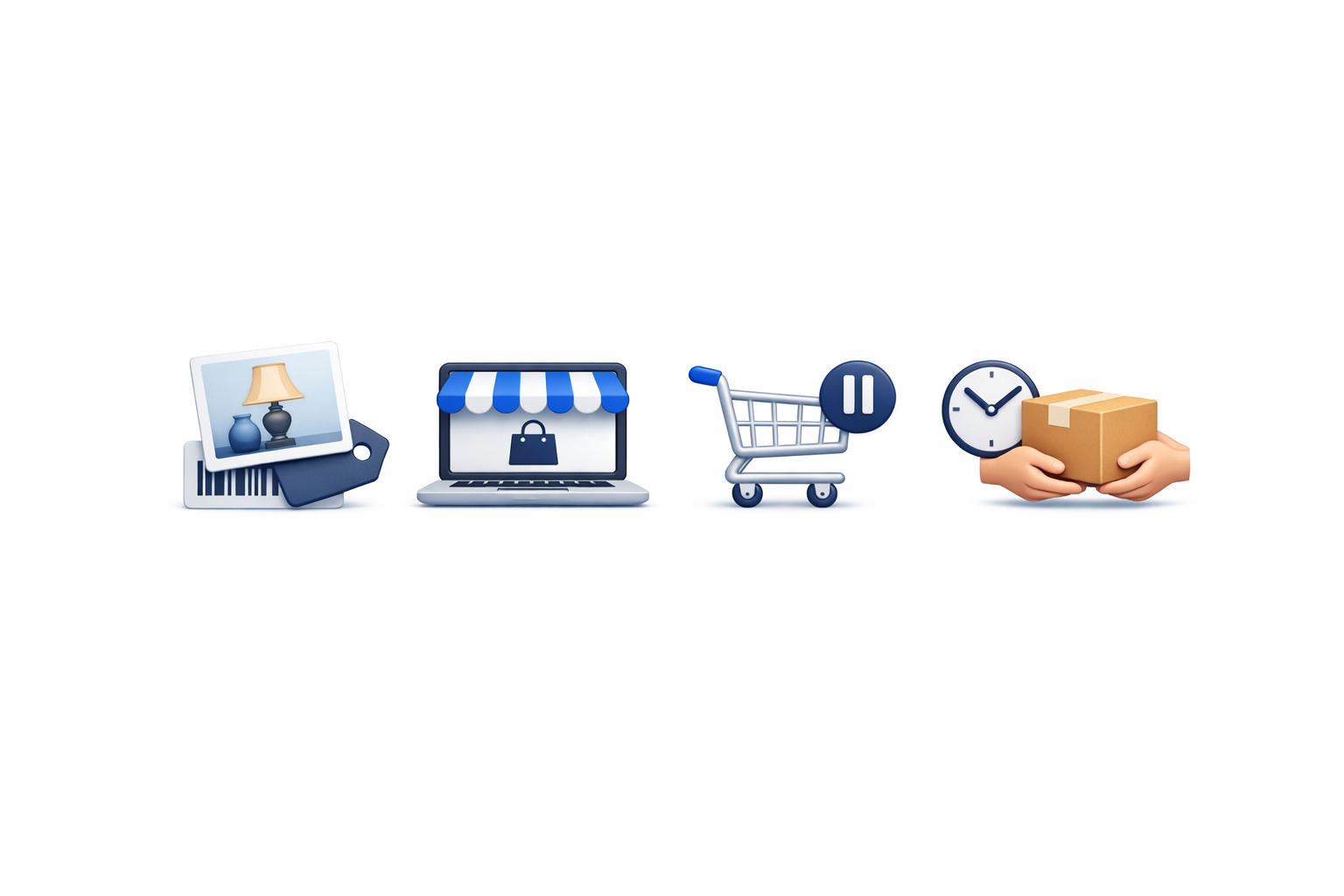
A hybrid estate sale combines in-person sale days with online buying. Both channels use the same item photos, titles, prices, and records.
The purpose is not to create a separate set of online listings after the house has already been prepared. The online storefront sits on top of the inventory and pricing work completed during pre-sale setup.
In EstateSail, online orders return to the same dashboard used for the sale. Floor and online transactions stay in one set of records, which supports reporting and the final client settlement report.
Hybrid selling is one part of a larger operating system. If you are deciding how all the pieces fit together, start with what estate sale software does.
A complete sale still needs:
- Reviewed inventory and pricing
- Barcoded labels
- A check-in process
- Reliable floor checkout
- Online order handling
- Pickup instructions
- Accurate sale records
The storefront adds another buying path. It does not replace the work required to prepare and run the property.
When a hybrid sale helps, and when to skip it
A hybrid sale can help when you have items that remote shoppers may be willing to buy and collect. It can also give interested buyers another opportunity to purchase items after the doors close.
Hybrid selling is especially practical when:
- You already photograph and price individual items
- The items are worth a special trip
- You can commit to specific pickup windows
- A crew member can manage online orders
- You want a structured path for remaining items after sale days
- You want floor and online sales in the same records
Skip or delay the online portion when the basic sale setup is not ready. If inventory, pricing, labels, check-in, or checkout still need attention, finish those systems first.
You should also wait if no one can supervise online order fulfillment. An online purchase creates an obligation to locate the item, protect it from floor sales, prepare it for collection, and give the buyer accurate instructions.
A smaller online selection is often better than an unmanageable one. Hybrid selling should make use of your existing work, not create a second operation that the crew cannot support.
Build inventory and pricing once during pre-sale setup
The foundation of a hybrid sale is one accurate item record.
During pre-sale setup, use this sequence:
- Photograph the item.
- Add a clear title.
- Review and enter the price.
- Assign the correct room.
- Print a barcoded label with title, price, and room.
- Confirm that the item is appropriate for online purchase.
This work happens before sale days open. It should not be postponed until shoppers are already entering the property.
EstateSail uses AI-powered tools to support inventory and pricing, while the liquidator remains responsible for the final information and price. The AI pricing estate sale guide explains how to review suggestions before approving an item.
The same approved information can serve the floor and the online storefront. There is no need to photograph and price the same piece again solely because it will be offered online.
When the item sells on the floor, its barcoded label supports scanning and the sold record. When it sells online, the order returns to the same dashboard. For the in-person side of that workflow, see how an estate sale POS supports floor checkout.
Start your online storefront small
You do not need to place every item online for your first hybrid sale. Some operators begin with about 20 online items and expand after the crew understands the process.
Choose the first group intentionally. Good candidates may include larger or higher-interest pieces that are worth a buyer making a trip to collect.
For each online item, confirm:
- The photos clearly show what is being sold
- The title identifies the item
- The price is approved
- The room is correct
- The item can be located quickly
- The pickup requirements are practical
- The buyer will understand that pickup is required
Store settings are on the Store tab of the EstateSail web dashboard. Before opening the storefront, review Sales Tax, Storewide Discount, and the fee pass-through toggles (Pass CC Processing Fee and Pass Service Fee to Buyer). Payments are Square-led.
Shoppers can browse public EstateSail sales at the EstateSail store. You will see Hybrid and Online-only sales with Buy It Now and pickup.
Treat that marketplace as an extra channel. Many shoppers and liquidators do not know it exists yet, so it does not replace your own promotion.
Auctions on the EstateSail marketplace are coming soon.
Set pickup windows before you go live online
Pickup should be planned before the first online order arrives. Do not wait until a buyer has paid to decide when the crew will be available.
Write your pickup days, times, and instructions in Pickup Instructions on the Store tab, and turn on Show at checkout so buyers see them at checkout and in their order confirmation. Show at checkout is off by default, so check it before you go live. Choose periods when the property is accessible and someone can supervise the handoff.
Pickup Instructions is a free-text field, and EstateSail asks you to fill it in before a pickup store can go Live. Write it to answer three questions:
- Where should the buyer go?
- What should the buyer bring?
- When is the order available?
If access is limited or the item requires special handling, explain that in Pickup Instructions so buyers see it at checkout, before they pay. Clear instructions help buyers decide whether they can complete the pickup.
Assign one crew member to manage online fulfillment during pickup windows. That person should watch for new orders and fulfillment status, locate the purchased items, pull them from available inventory, and prepare them for collection.
A practical pickup process is:
- Review the paid order.
- Locate every item in the order.
- Remove those items from the floor or holding area.
- Bag or stage the order safely.
- Confirm that the order is complete.
- Mark its fulfillment progress accurately.
- Hand it to the correct buyer during the stated window.
When you tap Mark Ready for Pickup, EstateSail emails the buyer with the pickup address and your pickup instructions. The crew still needs to prepare the order and manage the handoff.
Stop online buying during floor hours
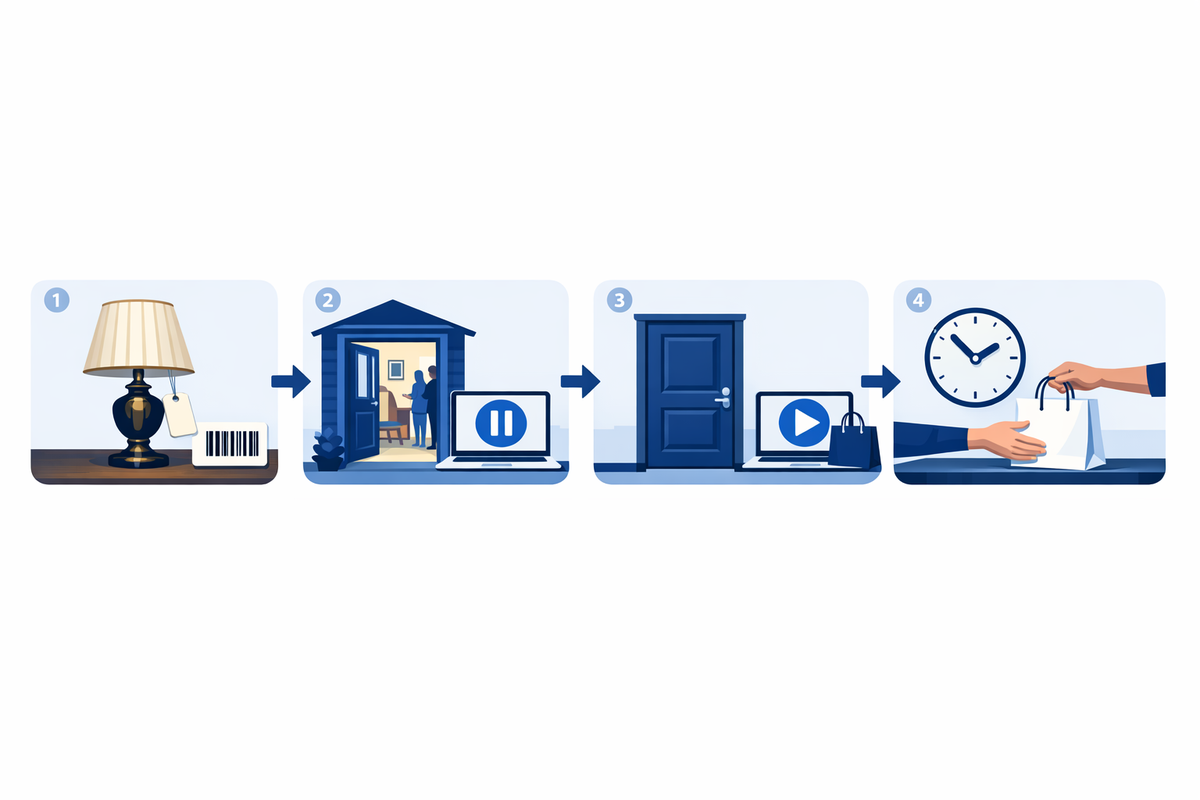
The most important hybrid operating rule is to stop online buying while shoppers are buying inside the property. Your online items can stay visible. Buyers simply cannot check out until online buying reopens.
The reason is simple. A floor shopper can be carrying an item toward the register while an online shopper is checking out the same item. If both channels remain open at once, the crew may have to tell a paid buyer that the item is no longer available.
When we help liquidators set up their first hybrid sale, this is the first habit we recommend: stop online buying before floor hours begin. Reopen online buying after the doors close or when you are ready to run a separate leftover window.
In Hybrid Sale Mode, you can schedule online buying to pause during each sale day’s floor hours.
Use this sequence:
- Confirm online buying is stopped before shoppers enter.
- Run the floor sale using the prepared labels and checkout process.
- Complete floor transactions and verify sold items.
- Review what remains after the doors close.
- Reopen online buying only for items still present.
- Update Pickup Instructions with the next pickup window before accepting more orders.
Add this check to your estate sale day checklist so stopping online buying is treated like a register or scanner check, not an optional reminder.
The tradeoff is that online buyers wait until the doors close. That is worth it. It prevents conflicting sales and gives the crew one clear source of truth.
Promote the sale where shoppers already look
Opening an online storefront does not automatically bring buyers to it. Promotion is still the seller’s responsibility.
Use the channels you already rely on:
- Your social accounts
- Your email list
- Estate sale listing sites
- Direct links to the online sale
- Property and item photos that show what is available
- Clear language about Buy It Now and pickup
EstateSail can also help you reuse your inventory for an EstateSales.net listing. It can fill the traditional EstateSales.net sale wizard information for Info, Details, and Dates, then upload inventory photos with captions.
That is a traditional sale listing. It is not EstateSales.net Marketplace, and it is not a live two-way connection between selling systems.
Keep the distinction clear in your crew instructions. The EstateSail marketplace is where EstateSail online sales appear. A traditional EstateSales.net listing is a promotional listing that helps shoppers discover the sale.
Be honest about shipping
Shipping through EstateSail is limited today and is not what this guide recommends leading with. Pickup is the working path.
Do not promise nationwide shipping unless your company already has the staff, packaging process, carrier procedures, and pricing needed to run it. Shipping a fragile or oversized estate item is a separate fulfillment job.
State local pickup plainly in Pickup Instructions and keep Show at checkout turned on. Buyers should know before paying that they must collect the order during a defined window.
Pickup-first language also helps the operator choose suitable online items. A piece that is difficult to move may still sell online, but your pickup instructions should make the buyer responsible for arriving prepared.
After sale days: keep leftovers moving
A hybrid setup becomes especially useful after the floor portion ends. Remaining items are already in the same system with photos and prices, so they do not need to be rebuilt as new online listings.
Review the remaining inventory before reopening online buying. Confirm that each item is still present, in the expected condition, and available for collection.
Then:
- Choose the remaining items that should stay online.
- Confirm their photos, titles, and prices.
- Apply any planned storewide discount.
- Set a new pickup window.
- Update Pickup Instructions with the new days and times.
- Reopen online buying for the remaining items.
- Assign someone to prepare and release orders.
You can run this as its own online window with a storewide discount if that fits your agreement with the client. It creates another selling period without asking the team to repeat the original inventory and pricing work.
Because floor and online sales remain in one set of records, the final reporting is easier to review. That can also produce a cleaner estate sale settlement report for the client.
Hybrid estate sale checklist
Use this checklist before opening online buying.
Pre-sale setup
- Photograph selected items
- Confirm each title and price
- Assign the correct room
- Print a barcoded label with title, price, and room
- Select a manageable group of online items
- Review Sales Tax and Storewide Discount on the Store tab
- Review the fee pass-through toggles
- Confirm Square is connected for online payments in the EstateSail iOS app
Pickup preparation
- Decide your pickup days and times
- Write pickup days, times, and instructions in Pickup Instructions on the Store tab
- Turn on Show at checkout (off by default)
- Explain what the buyer should bring
- State that purchases require local pickup
- Assign one crew member to online fulfillment
- Choose an area for pulled and prepared orders
Sale operations
- Stop online buying before floor hours
- Run floor checkout from the prepared inventory
- Verify remaining items after the doors close
- Reopen online buying only after confirming items remain
- Pull purchased items promptly
- Keep fulfillment status accurate
Promotion and closeout
- Share the sale through social channels
- Send it to your email list
- Publish traditional estate sale listings
- Share a direct link to the online sale
- Review remaining inventory after sale days
- Update Pickup Instructions with a final pickup window for leftover orders
- Review floor and online records together
Hybrid estate sale FAQ
What is a hybrid estate sale?
A hybrid estate sale combines in-person sale days with online buying from the same inventory and pricing. Items are prepared once, then made available through the floor sale and an online storefront. Floor and online transactions can remain in one set of sale records.
How do I avoid selling the same item twice online and in person?
Stop online buying while the property is open for floor shopping. Your online items can stay visible, but buyers cannot check out during that time. This prevents an online buyer from purchasing an item that a floor shopper is already carrying to checkout. Reopen online buying after the doors close and after confirming which items remain.
Should I offer shipping for online estate sale items?
Lead with local pickup unless your company already operates a reliable shipping process. Do not promise shipping that your staff cannot package, price, and fulfill accurately. State the pickup requirement in Pickup Instructions, with Show at checkout turned on, so buyers see it before they pay.
How do pickup windows work for online estate sale orders?
Write your pickup days, times, and instructions in Pickup Instructions on the Store tab, and turn on Show at checkout so buyers see them at checkout and in their order confirmation. Show at checkout is off by default. The instructions should explain where to go, what to bring, and when the order will be available. A crew member should pull, prepare, and release each order during those periods.
What should I put online first?
Start with a manageable group of larger or higher-interest items that are worth a buyer making a trip to collect. Choose pieces with clear photos, approved prices, and practical pickup requirements. Some operators begin with about 20 online items rather than placing the entire house online.
Can I sell leftovers online after the sale ends?
Yes. Remaining items can stay available online because their photos and prices are already in the same system. Confirm what is still present, apply any planned discount, and update Pickup Instructions with a new pickup window before reopening online buying.
Add online buying with a clear operating plan
A successful hybrid sale begins with solid pre-sale setup, a limited online selection, defined pickup windows, and stopping online buying during floor hours. Start small, assign responsibility for online orders, and expand the process as your crew gains experience.